SuperChoice
How to save and load the Employer Portal with the correct branding
A quick and easy way to access the Employer Portal (SuperChoice) is to save the page to your browser’s Bookmarks or Favourites.
If you access or have accessed SuperChoice via other super funds, the page may not always load Cbus Super’s branding when you access it from your browser’s Bookmarks or Favourites. This is due to browser cache issues and can be easily avoided by following four simple steps.
Steps 1 - 3
Step 1:
Access the Employer Portal (SuperChoice).
Step 2:
Save the page to your browser by clicking on the star to the right of the address bar.
Step 3:
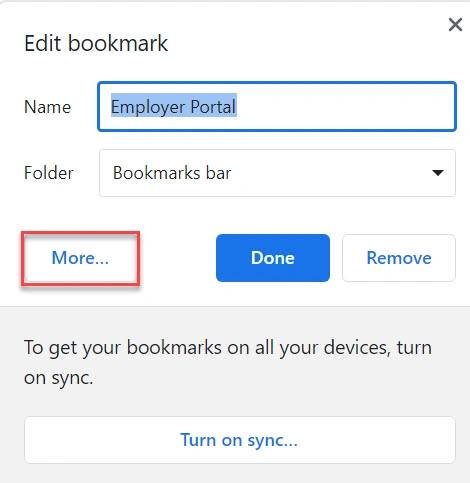
Click on the ‘More…’ button which will allow you to edit the details.
Step 4
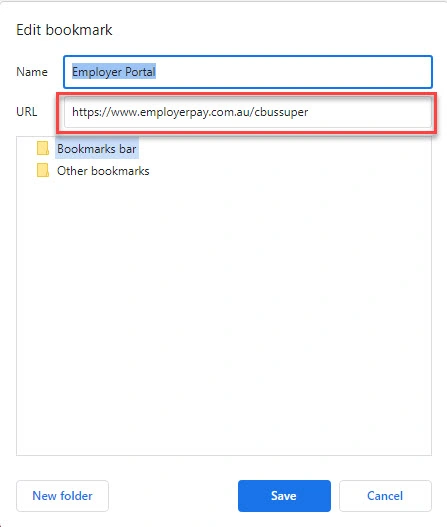
Change the URL from https://www.employerpay.com.au/openid-connect-server-webapp/login to https://www.employerpay.com.au/cbussuper
Click ‘Save’.
Once that’s done, you’ll be able to easily access the Employer Portal login page from your browser’s Bookmarks or Favourites at any time.